Already have a Discord community?
Start with the bot. Members read your announcements in Discord. They do not need the fanping app.
See the free Discord botGo-live alerts for streamers
fanping announces your Twitch, Kick and YouTube streams in Discord and the free fanping app. Go-live alerts run automatically. Send your own reminders, updates and links from one dashboard.
Free plan. No credit card. Creators use the web dashboard.
Unlimited automatic alerts. Up to 10,000 app fans and 1 Discord server on Free.
Works with 


 Twitch, Kick, YouTube & Discord
What VextraVolt's 840 fans just saw.*
A ping is a short announcement from you. Fans receive it in the fanping app, in your connected Discord channels, or both.
Open the creator dashboard in your browser. Connect Twitch, Kick or YouTube and enable automatic go-live pings.
Connect your Discord server and choose channels. Share your fanping link or QR code with fans who want pings in the app.
Your connected platform triggers the go-live ping. For a schedule change or a new link, write and send a ping yourself.
Start with the bot. Members read your announcements in Discord. They do not need the fanping app.
See the free Discord botFans install the free iOS or Android app and follow you. They choose which creators can send them pings.
See how fans follow youTwitch, Kick and YouTube tell fanping when you go live. fanping sends the announcement to your app followers and the Discord channels you connected.
Works with Twitch, Kick, Discord & YouTube
Automatic alerts need a connected platform. Manual pings can link to content anywhere.
Streaming on two platforms at once? Pick your preferred one and the live ping opens that link for your fans.
Automatic platform alerts are unlimited on Free and Pro. Only pings you write yourself use your weekly allowance.
Twitch AvailableAuto-ping the moment your stream goes live. A built-in cooldown keeps back-to-back restarts from spamming your fans.
Discord AvailableDiscord is a destination for your pings. Post to selected channels with optional role mentions. Free includes 1 server and 5 channels, with no member cap.
YouTube AvailablePing on stream start, video upload, and premiere. Pick which trigger types fire, and keep the casual uploads quiet.
Kick AvailableAuto-ping the moment your Kick stream goes live. The same cooldown applies, so a dropped connection mid-stream doesn't ping twice.
Share your link or QR code. Fans install the app once, then choose to follow you.
 VextraVolt your channel
Put your QR code on stream or in your panels. Share your fanping link for fans watching on their phone.

Fans install fanping on iOS or Android. They can get started without an email or password.


 VextraVolt
Fans open your link or scan your QR, confirm the follow and allow notifications. They can unfollow anytime.
 fanpingnow
one more push
fanping15mfirst queue at 8 sharp
fanping18htomorrow, 8pm CET
fanping2dfirst 50 get a code
Automatic alerts announce your streams. Fans tap the stream link in a ping to start watching.
Your browser dashboard shows recent pings, delivery and open counts, and fan growth. Screenshots use demo data.


Connect your first streaming platform.
Start freeUse a ping for the moments your fans need to know about: an upcoming stream, a changed start time or the VOD afterwards. This example shows the options, not a required sending schedule.
Announce the start time, let the automatic go-live ping do its job, and share a recap afterwards. Choose the updates that matter to your community.
Write and send your updates from your dashboard.
Free: 5 manual pings per week and unlimited automatic alerts. Pro: 30 manual pings per week, plus scheduling.
Add a poll, voucher, countdown or saved link. Available interactions depend on where the ping is displayed.
Ask what to play next. Fans vote in the app or on Discord, and the result lands in your dashboard.
Drop codes to the first fans who claim them. Every claim is counted.
A live countdown inside the ping, ticking down to the moment you go live. Write a time into your ping text and every fan reads it in their own local time.
Your shop, your VOD, your Discord. Save it once, attach it to any ping, one tap for your fans.
Let fans react with the emojis you pick, and see which ones landed.
Attach a link or a voucher drop to your automatic go-live ping once, and every stream carries it until you take it off. Your next stream can add a one-time drop on top, and a recap ping can follow after the stream.
Go-live alerts, announcements and offers land in the channels you choose. Set it up once from your dashboard, with no commands to learn.
announcementsYour dashboard editor in miniature. The post above is the live preview: flip something and watch it change.
Goes live when you do: auto-posts for Twitch, Kick and YouTube streams, plus new YouTube uploads.
Your words, your emotes: write the message once, drop in variables and your server’s custom emojis.
Ping the right people: a role, @everyone, or nobody at all. You decide per channel and per type of ping.
No commands, no snooping: nothing to set up inside Discord, and the bot does not read your messages or member lists.
1 server, 5 channels, unlimited automatic alerts and no member cap. Fans read the posts in Discord; no fanping app is required.
Pro supports 3 servers with 10 channels each, click statistics and live-card updates for the whole stream.
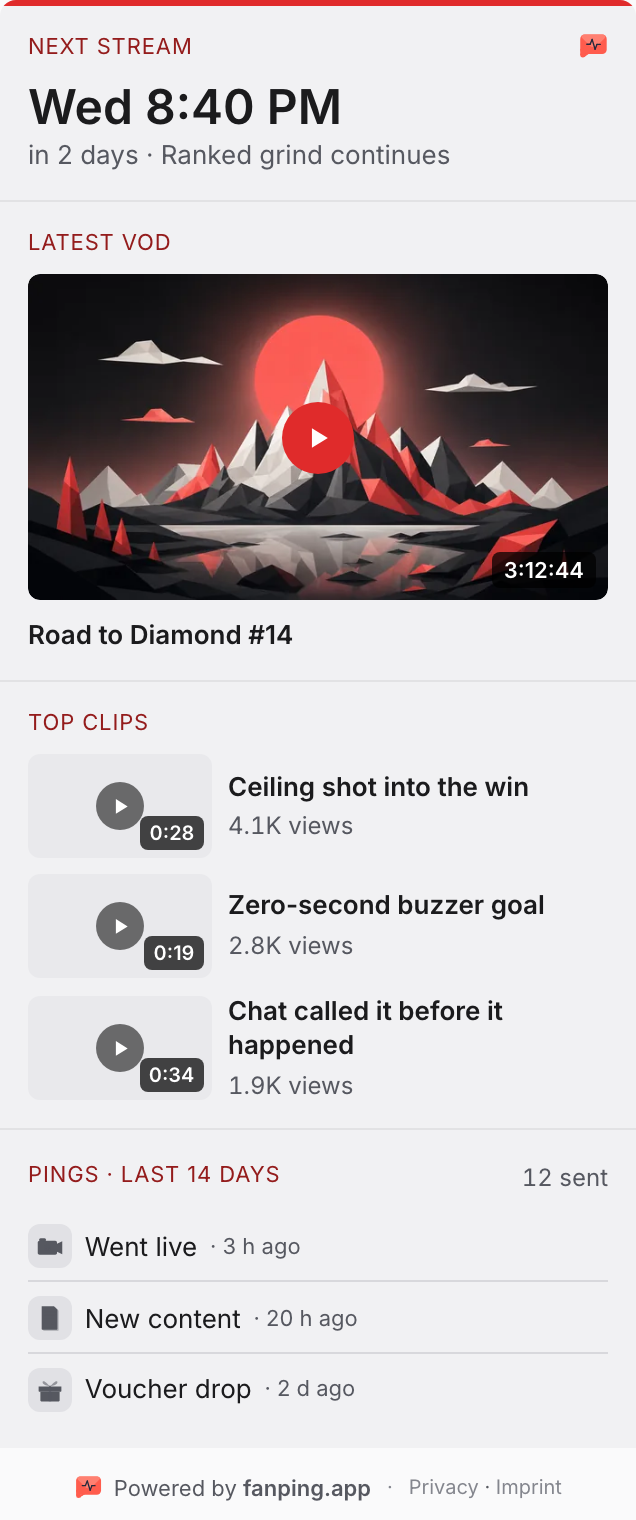
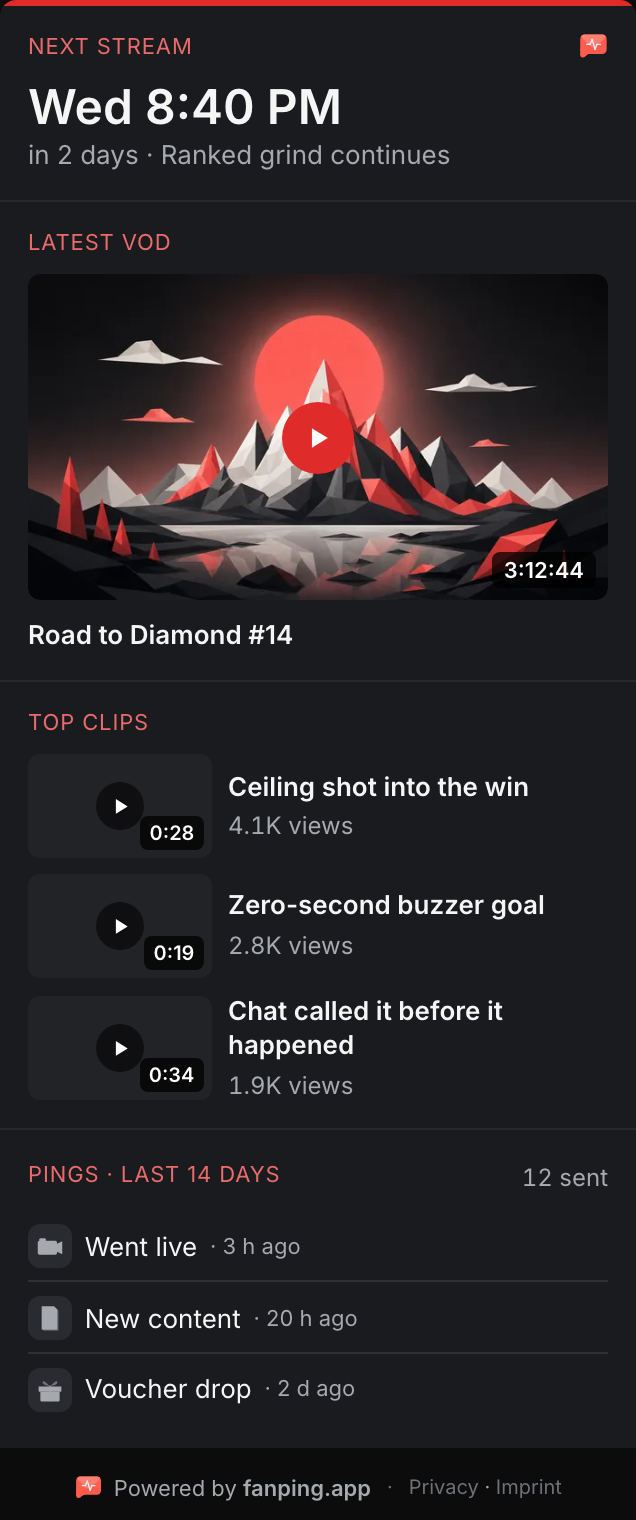
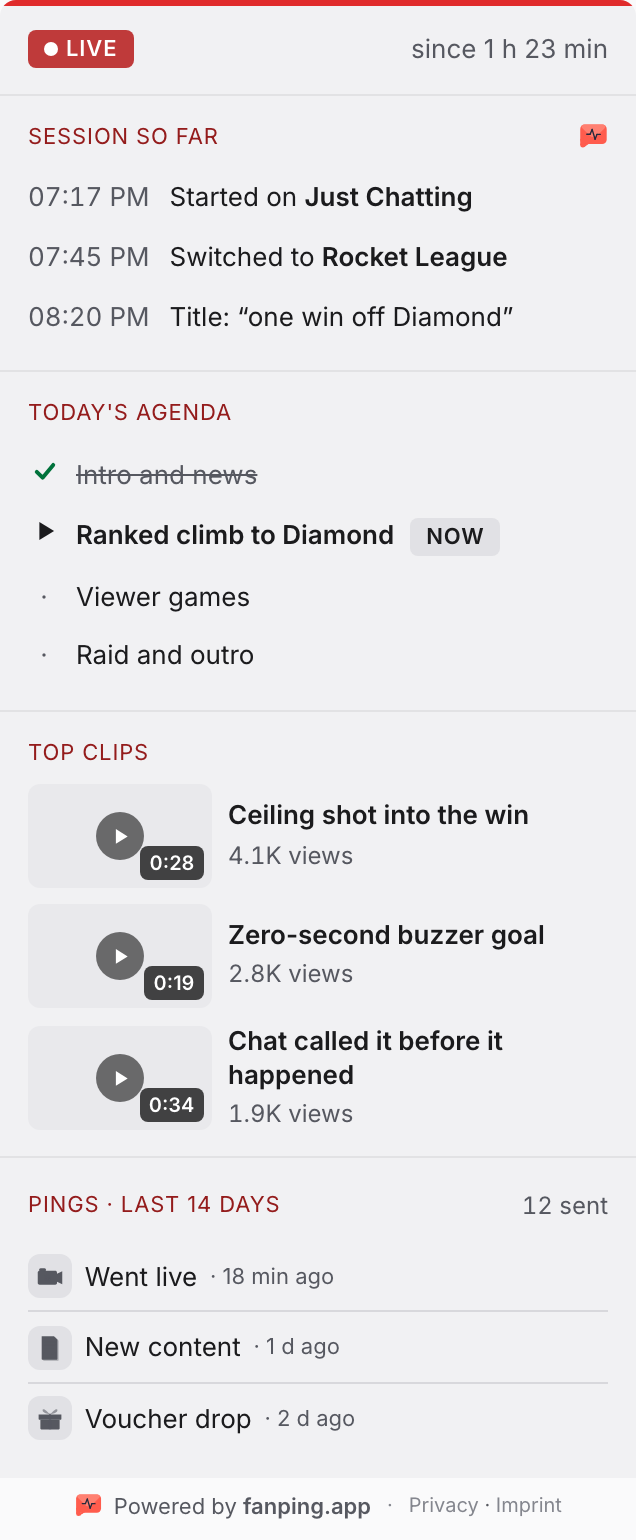
Show your next stream, latest VOD and top clips in a free Twitch panel. Connect a free fanping account to add a live agenda and a session recap for viewers who arrive late.
Pings announce your stream. The Hub helps viewers find their way around your Twitch channel.
Explore the Twitch extensionFree. Viewers need no fanping app. Schedule, VODs and clips work without a fanping account.
Automatic announcements for your next stream.
Start freeAlex, founder. Vienna.
[ALEX: der Stream, den du verpasst hast oder der Streamer mit 900 Followern vor 12 Leuten]
[ALEX: was du zuerst gebaut hast, das falsch war]
[ALEX: warum eine App und nicht nur ein Discord-Bot]
Questions? [email protected]. I read every mail. [ALEX: bestaetigen]
Start with automatic alerts on Free. Choose Pro for scheduled pings, higher limits and click analytics. The fan app is free for fans on both plans.
For your first 10,000 fans.
No credit card required.
For streamers outgrowing the Free limits.
Monthly. Cancel anytime.
** Automatic pings fire on activity from your connected platforms, like going live on Twitch, Kick or YouTube.
Prices and features subject to change.
fanping insights
Look beyond the go-live. Explore audience activity, streaming categories and raids with public Twitch data.
Explore Twitch insightsFree preview included. Full access with Pro.
Explore how audience activity changes around your streams.
Put the categories you stream in into context.
Explore raid activity and the connections between channels.
fanping is a tool for streamers to send announcements, called pings, to their fans. Connect Twitch, Kick or YouTube for automatic go-live alerts. Send pings to followers in the free fanping app and to your connected Discord channels. Creators manage everything in a web dashboard.
For pings in the fanping app, yes. Fans install the free iOS or Android app, follow your creator profile and allow notifications. They can start without an email or password. For announcements in your Discord channels, no: members read them in Discord.
Twitch and Kick can trigger go-live pings. YouTube supports live streams, video uploads and premieres; you choose which triggers to enable. Discord receives your announcements. You can also send manual pings with links to content on other platforms.
Create a free account in the creator dashboard, connect your streaming platform and enable automatic pings. Connect Discord to post in your server, or share your fanping link and QR code so fans can follow you in the app. You do not need to install a creator app.
Free includes up to 10,000 app fans, 5 manual pings per week, unlimited automatic platform alerts, and 1 Discord server with up to 5 channels. Pro adds unlimited app fans, 30 manual pings per week, scheduling, click analytics and more Discord capacity. See the pricing section for current prices and limits.
fanping gives fans a separate place to follow your announcements across streaming platforms. You can send a reminder before a stream or an update afterwards, as well as automatic go-live alerts. Fans control notification permissions and Quiet Hours. Sending an announcement does not guarantee that someone sees it or watches the stream.
Yes. The fan app is free and has no paid fan tier. fanping does not show its own ads. Creators must label sponsored pings. Fans choose who to follow and can unfollow anytime. See the privacy policy for how usage data is handled.
Yes. Share your fanping link in chat, your bio or your Discord. Fans can tap it on their phone. QR codes work well when fans watch on another screen. After installing the app, fans can reopen the creator link or scan the code to follow.
Connect your streaming platform. Add Discord, invite fans to the app, or use both. Start free, with no credit card.