

Free go-live alerts for your Discord.
Connect Twitch, Kick or YouTube and fanping posts automatically when you go live. Fans can read the announcements in Discord without installing the fanping app.
- Go-live alerts
- Polls
- Voucher drops
- Countdowns
- Live role
- Recap with VOD
Automatic go-live alerts are unlimited on Free. Manual pings have weekly limits; scheduled pings require Pro.

What lands in your channel, exactly as your community sees it.
You're live. Your community doesn't know yet.
They joined your Discord to catch your streams. But the moment you go live, you're busy streaming, not announcing. So the people who came for exactly this find out late, or not at all. fanping takes over that moment, and the rest of the loop with it.
Start free. Upgrade when you need more.
Automatic go-live announcements are included on both plans. Here is what changes when you upgrade.
| Feature | Free | Pro |
|---|---|---|
| Automatic go-live pings | Unlimited | Unlimited |
| Discord servers | 1 | 3 |
| Channels per server | 5 | 10 |
| Custom templates and live roles | Included | Included |
| Reaction statistics | Included | Included |
| Click statistics | Not included | Included |
| Live-card updates | First 60 minutes | Whole stream |
| Manual pings | 5 per week | 30 per week |
| Scheduled pings | Not included | Included |
Discord-specific Pro upgrades add more servers and channels, click statistics, and live-card updates for the whole stream. Both plans keep the card's final end state. Manual and scheduled pings follow your creator plan. See full pricing and limits.
And all of this. Also free.
Your message
- Template variables
- Your server’s emojis
- @everyone and role mentions
- Countdowns and viewer-local times
- Game art on the go-live post
- Ad labels in three languages
- Test send with silent mentions
- Retract a post
Beyond the alert
- Unlimited automatic go-live alerts
- Reconnect protection
- Live card updates · 60 min on Free, whole stream on Pro
- Optional announce delay
- VOD card on the recap
- Prepare your next stream
- Voucher drops
- Live role created for you
- Reach overview
- Manual announcements within your weekly ping limit
Setup & trust
- No commands to learn
- An admin can set it up for you
- No member cap
- Six permissions, none privileged
- Content moderation on every post
- Downgrade-safe
Fans pay nothing to read announcements in Discord. Discord notification settings determine which posts trigger an alert.
No commands. Nothing to read.
The bot is a megaphone, not a moderator. It writes through a webhook and asks for six permissions, none of them privileged, so it cannot read your messages, your member list or anyone’s presence even if it wanted to. Everything you write passes content moderation before it reaches a channel. Remove the bot and it stops, with nothing left running behind you.
Your words, your emotes.
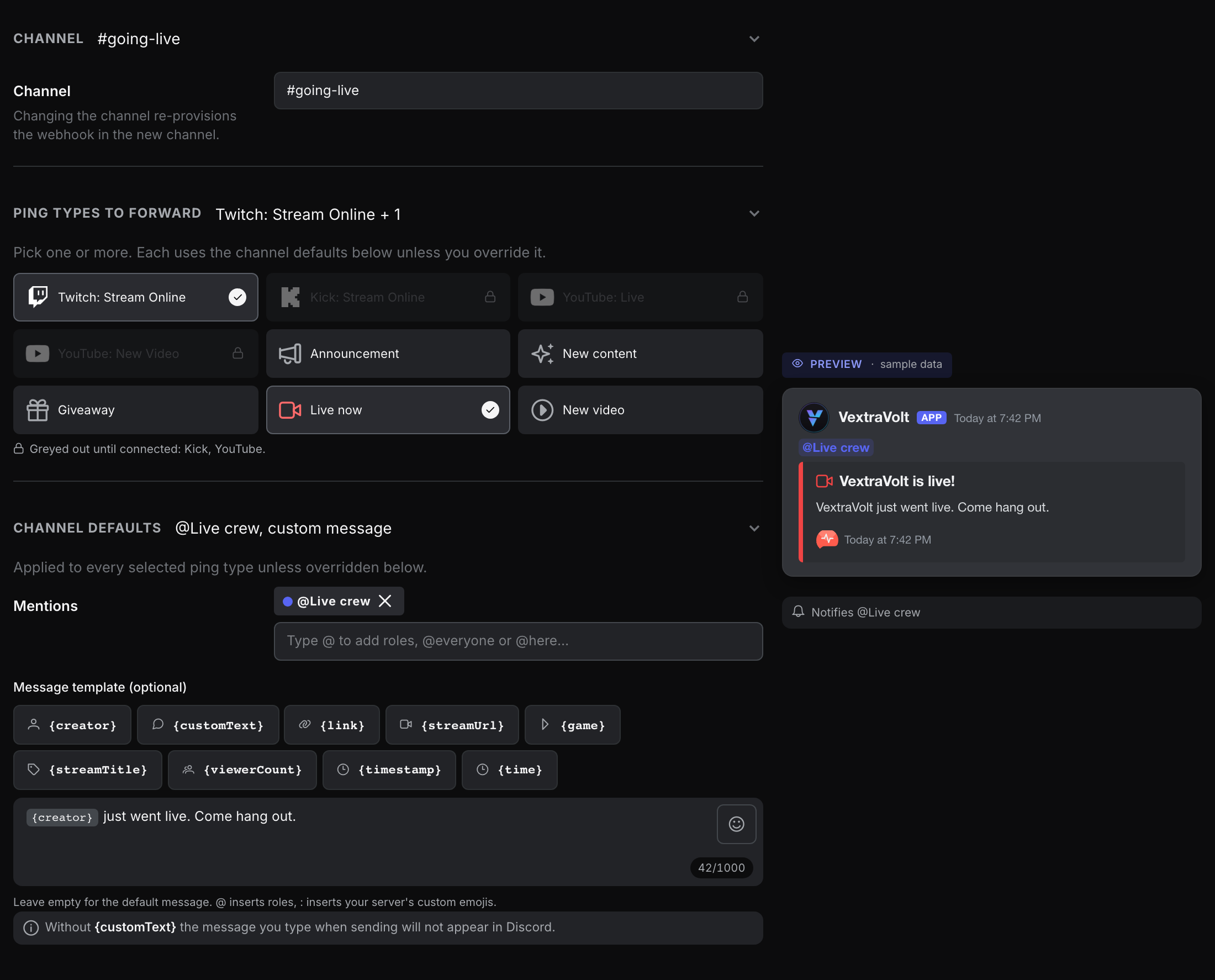
Every post starts from a template you wrote, not from bot boilerplate. Style it per channel, and even per type of ping.
Your dashboard editor in miniature. The post is the live preview: flip something and watch it change.
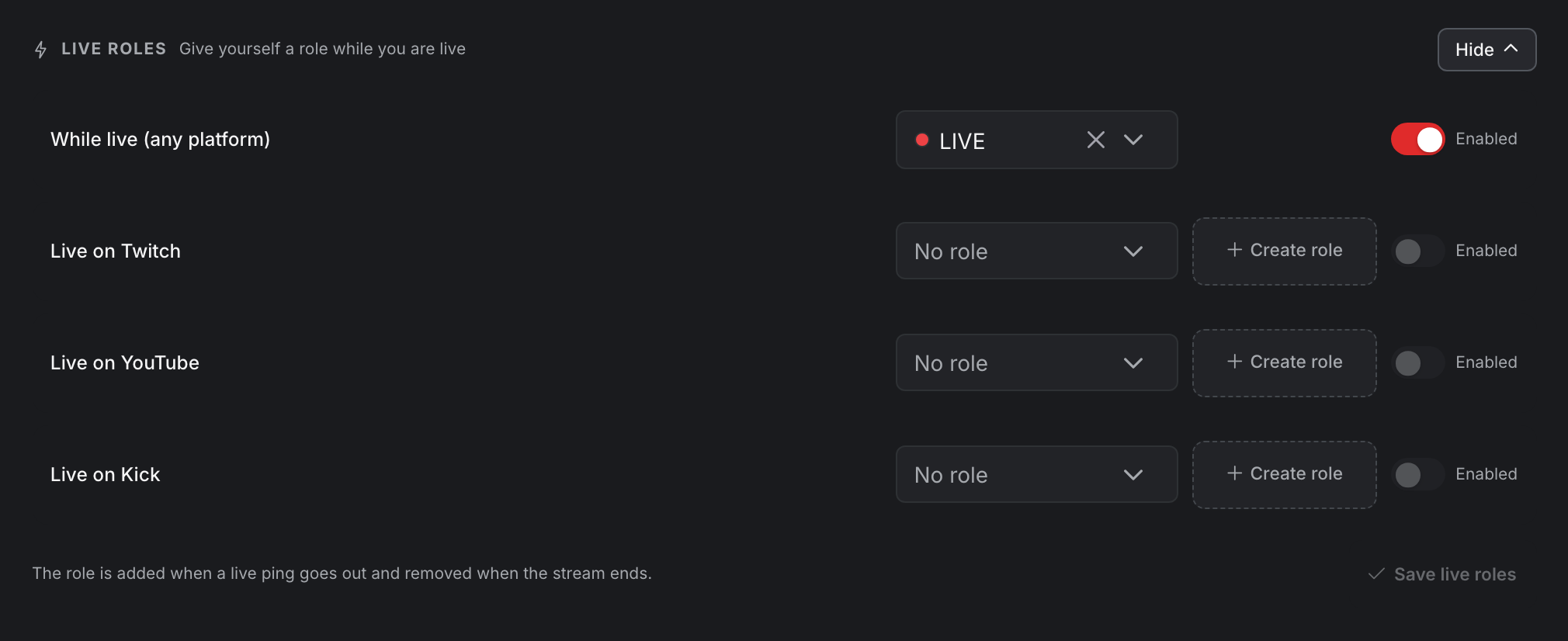
A role that goes live with you.
Give yourself a role while you are live. It appears in the member list the moment your live ping goes out, and disappears when the stream ends.
- Up to four slots per server: one role for any platform, or separate roles for Twitch, YouTube and Kick.
- Flap-proof: a short grace period after the stream ends means a dropped connection never strips and re-adds your role mid-session.
- One-click role setup: let fanping create a fresh role for you, or pick an existing one. Roles with moderator permissions are refused by design.
Set it up now. It fires once, later.
Line up a voucher drop or a post-stream recap while you have the time. It waits, goes out the next time you stream, and empties itself.
- A one-time message: write what your next go-live should say, and it rides along with the announcement instead of the usual line.
- A drop in the announcement: attach a code and the watch button turns into a claim button, right in the post your community already gets.
- One code, or five hundred: share a single code with the whole community, or upload individual codes that each work once. Give them an expiry from a minute to thirty days, or none at all.
- A recap when you sign off: a short post on a delay you pick, from two to thirty minutes, carrying how long you streamed, your title, and on Twitch the games you played.
Prepared in advance and attached to your next go-live announcement.
Know what lands.
See how your community reacts, without ever tracking who. Everything is aggregate, and every switch is per channel.
Reaction statistics
Emoji reactions on the bot's posts, ranked per server and per ping. Counts only, never who reacted.
Click statistics Pro
Clicks, unique visitors and click-through rate per channel. Anonymous, and only counted if you switch it on.
Run it all from one dashboard.
Channels, templates, mentions, roles and statistics live in the fanping creator dashboard. Nothing is configured inside Discord, and changes apply instantly.
Connect with Discord
Connect Discord from your dashboard, pick your server. That’s it.
Pick channels & style your message
Live preview and a test send, before a single fan sees it.
Done
Change templates, channels and mentions anytime from your dashboard.
You do not have to be the one who wires it up.
Hand the job to the admin who actually runs your server. They get a link to the channel setup, never a way into your account, and your dashboard marks the session as live while they are in there. Included on every plan.
A link that lasts two days
You create it in your dashboard and send it on. fanping shows it to you once, and you can invalidate it whenever you want.
Discord login, no fanping account
They sign in with Discord. For a server you already connected, fanping checks they really administrate it before letting them in.
One link, one admin
The first Discord account to accept is the only one it will ever work for. Anyone else who opens it is turned away.
Channels, and nothing else
The one server on the link is the whole of their reach. Your other servers, statistics, billing and the rest of fanping are not on their list.
More than a Discord bot. This is fanping.
Discord announcements work on their own. Fans who also want pings on their phone can choose to follow you in the free fanping app.
Pings on the lockscreen
Fans follow you with one tap in the free fanping app for iOS and Android, and your pings land directly on their phones.
Links & QR codes
Ready-made QR codes and stream assets for your overlays. Viewers scan, follow, done, in seconds.
1 server, 5 channels, unlimited automatic pings, live roles, and no member cap. Posts appear in your connected channels; Discord notification settings determine who gets an alert.
Pro supports 3 servers, 10 channels each, click statistics, and live-card updates for the whole stream. See full pricing.
Frequently asked questions
Is the fanping Discord bot really free?
Yes. Free includes 1 server with 5 channels, unlimited automatic go-live pings, custom templates, live roles, reaction statistics and no member cap. Manual pings have a weekly limit. Fans do not pay to read Discord announcements.
Which Discord features does Pro add?
Discord-specific Pro upgrades include 3 servers with 10 channels each, click statistics, and live-card updates for the whole stream. Free updates the card for the first 60 minutes and still shows the final end state. Pro also increases manual ping limits and enables scheduled pings. See full pricing and limits.
Do fans need the fanping app for Discord announcements?
No. Fans can read your announcements and open stream links directly in Discord. The free fanping app is optional for fans who also want your pings on their phone.
Does the bot read my server’s messages?
No. The bot is write-only: it does not read messages, member lists or presence, and it requests no privileged access. You can see all six permissions it asks for in the invite dialog.
What are live roles?
A role the bot adds to you when you go live and removes shortly after the stream ends, with a grace period so a dropped connection never flickers the role. Up to four slots per server: one for any platform or separate ones for Twitch, YouTube and Kick. Included on every plan.
What happens to my setup if I downgrade?
Nothing is deleted. Servers or channels over your new plan’s limit are switched off and come back automatically as soon as your plan covers them again.
Give your community its bot
Connect your streaming account and Discord server to automate go-live announcements. Free to start, no member cap.